


Bright LED Flashlight
4.7471.00 Reviews
App Specs
- Version
- 3.6.4
- Updated On
- License
- Free
- Downloads
- 5,000,000+
- Developer
- Tools Dev
- Categories
- Travel & Local
- Platform
- Android
Screenshots
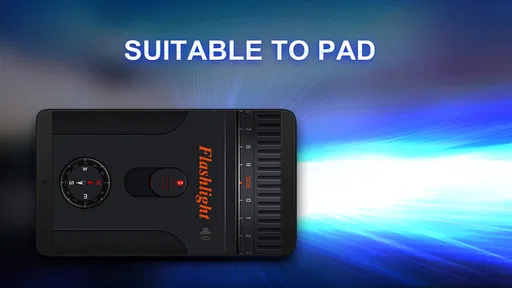
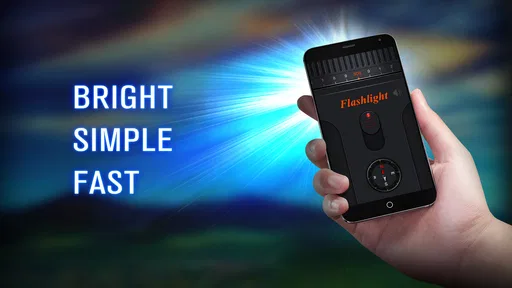
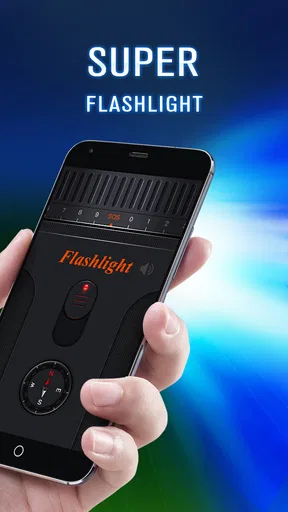
 Analysis by AppCompare
When I need a light quickly, I do not want to sort through a crowded utility app or wait for a complicated screen to load. Bright LED Flashlight takes the simplest possible starting point—a phone with an LED—and turns it into a small travel tool. I found it most useful in ordinary moments: looking for something under a car seat, finding a keyhole after dark, checking a dim path, or keeping a light ready during a short walk.
This is a free Travel & Local app from Tools Dev, aimed at people who want a bright LED flashlight with very little setup. Its store summary also points to a digital compass and low battery consumption, so it is not limited to being a one-button lamp. The important question is whether those extra touches improve a real outing or merely make a basic flashlight feel busier than it needs to be.
From a dark moment to a usable light
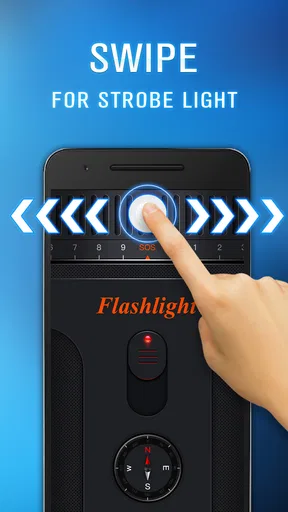
My usual workflow starts before I leave home. I open the app, check that the phone has enough charge for the task, and use the main flashlight control when I need illumination. That direct path is the strongest part of the experience. There is no reason to create an account, plan a route, or learn a complicated travel interface just to see where I am stepping.
For a quick indoor job, the process is almost immediate. I might be carrying groceries and need to find the lock on a poorly lit entrance. Instead of opening a camera application and trying to activate its light, I use the dedicated flashlight app. That handoff—from phone in my hand to light on the scene—is exactly where a focused utility earns its place.
The bright LED is especially practical when the phone is held slightly away from the face. It can illuminate a small area while leaving the display available for another task, such as checking a message or reading a note. I still treat it as a phone light rather than a replacement for a proper outdoor torch. The phone has to remain in my hand, and the useful range depends on the device’s own LED hardware.
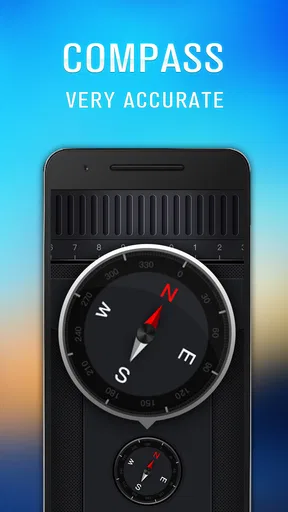
The digital compass gives the app a second travel-oriented purpose. I would use it when I need a quick sense of direction after leaving a station, walking through an unfamiliar neighborhood, or deciding which way to continue on a trail. It is a helpful orientation aid, but I would not confuse it with full navigation. A compass can indicate direction; it does not replace a map, route guidance, or local knowledge.
What the everyday handoff feels like
The most realistic use case is not a dramatic expedition. Imagine arriving at a rental apartment after sunset. One hand holds a bag, the other holds the phone, and the entrance is darker than expected. I open Bright LED Flashlight, activate the light, locate the lock, and then switch attention back to the door. If I am unsure whether I am facing the right street afterward, the compass can provide a quick directional check before I continue.
Worth Reading Before You Choose

EA SPORTS FC Mobile 26 Is a Bigger Football Game, but It Takes Time

Flipboard Shows What News Apps Must Do Beyond the Feed

Switching to Android Auto Means Rethinking Your Driving Routine

Google Calendar Makes a Crowded Week Easier to Manage

Ludo King Makes the Most of the Minutes Between Plans

Baby Panda World Brings Quick Play to Modern Phones, but Its Game Library Feels Busy
That sequence is more useful than it may sound because it keeps two small travel problems together: seeing and orienting. Normally, I might use the phone’s quick settings for the first job and a separate compass utility for the second. Here, both tasks sit within the same lightweight tool. The advantage is convenience, not advanced capability.
There is also a useful handoff between preparation and emergency use. Before a trip, I can place the app where it is easy to reach and remember that it is available. During a power interruption or an unexpected walk home, I do not need to search for a specialized travel app. The app’s simple purpose makes it easier to remember under pressure.
That simplicity also explains why the app has broad appeal. It is rated for Everyone, costs nothing to download, and supports devices running Android 7.0 or later. It is not presented as a niche hiking instrument or a professional navigation package. I see it as a practical pocket utility for people who want a dedicated light and occasional directional help.
How I would use it on a short trip
For a weekend away, I would use the flashlight during arrival and departure rather than leave it running continuously. At a hotel or campsite, it can help with a bag zipper, a dark corner, or a path between nearby buildings. The low-battery-consumption focus is reassuring for these short jobs, because a flashlight that drains a phone quickly is not much help later in the day.
My tip is to use short bursts instead of treating the phone as a lantern. Turn the light on to complete the immediate task, then turn it off before returning the phone to a pocket or bag. This is more comfortable, reduces unnecessary battery use, and avoids warming the device during a longer wait.
For orientation, I would hold the phone level and allow the compass a moment to settle before acting on the reading. Nearby metal objects, movement, and the phone’s environment can affect any digital compass. That is not a flaw unique to this app, but it is an important practical limitation. If the direction seems inconsistent, I would recalibrate or compare it with a visible landmark rather than blindly follow the first indication.
A second non-obvious tip is to separate the two jobs mentally. Use the LED to solve an immediate visibility problem, then use the compass only when you actually need direction. Keeping both functions active as part of one routine can make the app feel more complicated than it is. Its value comes from switching between small tools, not from turning a short trip into a full navigation session.
Where it beats the usual alternatives
Most Android phones already include a flashlight switch in quick settings. That built-in option is often faster when the phone is locked or when I only need a light for a few seconds. In that situation, Bright LED Flashlight has to justify the extra app step. Its argument is the dedicated interface and the inclusion of a digital compass, not a radically different kind of illumination.
It also sits between two alternatives. A standalone torch is better for long outdoor use because it keeps the phone free and is usually easier to grip. A full travel or hiking application is better for routes, maps, saved places, and detailed planning. This app makes more sense when I want a compact bridge between those extremes: a phone-based light plus a quick direction check.
The app’s scale supports that position. Tools Dev has built a utility with a clear, narrow purpose rather than a large travel dashboard. It has an average rating of 4.7 from around 19 thousand ratings, and it has passed 5 million installs. Those figures suggest that many people find the straightforward approach useful, but they do not change the basic trade-off: popularity cannot make a phone LED as capable as dedicated outdoor equipment.
I would recommend it to someone who regularly travels at night, wants a separate flashlight interface, or likes having a compass available without installing a larger navigation suite. I would be less likely to recommend it to a user who already relies comfortably on the phone’s quick-settings torch and never needs directional guidance. In that case, the additional app may not improve the routine enough to matter.
Small decisions that improve the outcome
The first decision is where the app belongs on the phone. If it is buried in a crowded app drawer, the benefit of a dedicated flashlight disappears. I would keep it in an accessible position, especially before a trip. This is a workflow issue rather than a feature: the best flashlight is the one I can reach before the moment becomes frustrating.
The second decision is when to use the display and when to use the LED. The LED is the right choice for lighting a nearby surface or path. The screen may be more suitable for reading a label, checking a room number, or preserving the phone’s light for later. Treating the app as a single-purpose bright beam can waste battery and make small tasks less comfortable.
The third decision concerns trust. I would use the compass for a broad heading—north, south, or the general direction of a street—but not for precise land navigation. If I were hiking somewhere unfamiliar, I would pair it with a proper map and a backup plan. The app can help with the handoff from “I am not sure which way I am facing” to “I have a rough orientation,” but it cannot complete the whole journey.
Another practical trade-off is phone availability. When the light is on, the phone is occupied as a physical object even if the app itself is simple. I would avoid using it while walking through traffic, climbing, or handling something that needs both hands. A small standalone light is safer for tasks where dropping the phone would be costly or where continuous illumination is required.
Where the flow breaks
The workflow breaks first when the phone is nearly out of charge. A low-battery flashlight may still be useful for a brief emergency, but relying on it for a long night outdoors is poor preparation. The app’s emphasis on economical battery use helps, yet it cannot remove the energy demand of the LED or the phone’s other active functions.
It also breaks when the expected result is a complete travel plan. Bright LED Flashlight does not replace a mapping application, public transport planner, or hiking navigator. If my goal is to follow a route, save a destination, or understand a complicated area, I would choose a dedicated navigation tool. The compass is a useful companion, not a complete answer.
A further limitation appears when I need hands-free lighting. Holding a phone near the ground while carrying luggage is awkward. A headlamp, keychain light, or conventional torch is a better choice for repairs, extended walks, cycling, or any situation where both hands must remain available. The app is strongest for short, close-range tasks where the phone is already in my hand.
There is also a human friction point: a simple tool can be overused because it feels convenient. Leaving the LED on while searching through a large area may produce heat, drain the battery, and still offer less reach than dedicated equipment. I get better results by deciding the exact task first—find the lock, inspect the step, identify the direction—and switching the light off as soon as that task is complete.
Who should install it
I think Bright LED Flashlight is a sensible choice for Android users who want a focused utility with a second travel function. It is free, rated for Everyone, and the current version is 3.6.4. The release history reaches back to April 29, 2016, which gives the app a long presence compared with a brand-new utility, while its current availability keeps it relevant for compatible phones.
I would install it before a trip if I wanted an easy flashlight workflow and a basic compass in the same place. I would also suggest it to someone who finds the built-in flashlight switch inconvenient or wants a more deliberate app rather than a control hidden among system toggles. The app’s appeal is strongest when convenience matters more than advanced controls.
I would skip it if I need professional-grade brightness, a hands-free setup, route planning, or detailed outdoor navigation. I would also skip it if my phone’s existing flashlight and compass already cover every situation I encounter. There is no reason to add another utility merely because it combines two familiar functions.
After using it as a practical travel companion, my view is positive but measured. The light solves immediate visibility problems cleanly, while the compass adds a useful orientation step for short journeys. Its real strength is the complete small workflow: open, illuminate, orient, and move on. It does not turn a phone into expedition equipment, and it should not be treated that way. For everyday darkness and occasional direction checks, though, this is a straightforward free app I would comfortably recommend to a friend.
Pros
- Turns on instantly for quick access in emergencies.
- Bright beam is useful for finding items in dark spaces.
- Simple interface is easy for users of all ages.
- Works without mobile data or Wi-Fi.
- Small app size uses little storage space.
Cons
- Contains advertisements that may interrupt use.
- Brightness may vary depending on the phone’s LED hardware.
- Requires camera permission to control the flashlight.
- Can drain battery during extended use.
- Some devices may not support all lighting modes.
FAQs for Bright LED Flashlight
What is Bright LED Flashlight used for?
Bright LED Flashlight turns your Android or iOS device into a portable light source by using the phone’s built-in camera flash, when supported. It can be useful during power outages, while searching in dark areas, or when walking at night. Some versions may also offer a screen-light mode, brightness controls, or simple flashing effects, depending on the device and app edition.
Does Bright LED Flashlight require internet access?
A basic flashlight normally works without an internet connection because it uses the device’s LED flash or screen. This makes Bright LED Flashlight convenient in emergencies or places with poor reception. However, the app may display advertisements, check for updates, or load optional content when you are online. Review the permissions and privacy information before installing.
Can Bright LED Flashlight work on every phone?
Compatibility depends on the phone model, operating system, and available camera hardware. Most modern devices with an LED flash should support the main flashlight function, while older phones or tablets may only provide a screen-light option. If the app cannot access the flash, check system permissions, close other camera apps, and confirm that your device is supported.
Does using Bright LED Flashlight drain the battery?
Yes, prolonged flashlight use can consume noticeable battery power, especially when the LED is set to maximum brightness. It may also make the phone warm during extended operation. From my review perspective, the app is best suited to short or occasional use. Turn the light off when it is no longer needed and avoid covering the phone while it is active.
Is Bright LED Flashlight safe and free to download?
The app may be available as a free download, although free editions can include advertising, optional purchases, or limitations on certain features. Safety also depends on downloading it from the official Google Play Store or Apple App Store rather than an unknown website. Before installation, check the developer name, recent reviews, requested permissions, and the privacy policy.


